Wolt Smart Ordering
Every order on Wolt asks you to type your allergies into a blank box. This was the fix.
At a glance
Case study
The problem
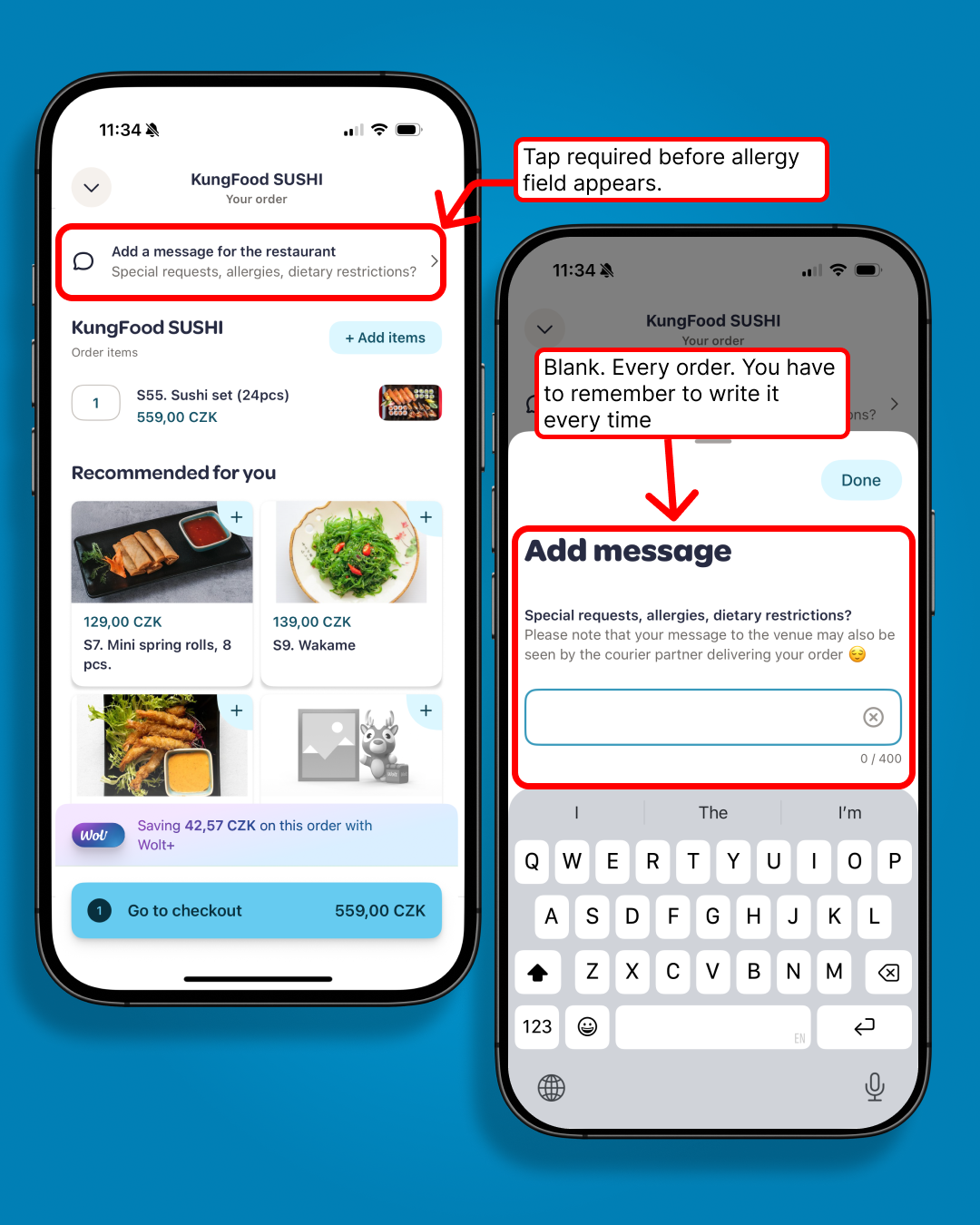
Every time a Wolt user places an order, they see the same prompt: "Special requests, allergies, dietary restrictions?" Every time, it's a blank text field. Every time, they type from scratch. Every time, the restaurant receives unstructured free text with no consistency and no validation.
For users with serious allergies, this is not a minor inconvenience. It's a process failure repeated at every single order.
The gap
Wolt already knows who you are. It knows your address, your payment method, your order history. It does not know you are allergic to peanuts, even if you have typed that into the restaurant notes 47 times.
The information exists. The user has provided it repeatedly. The system just never stores it.
The concept
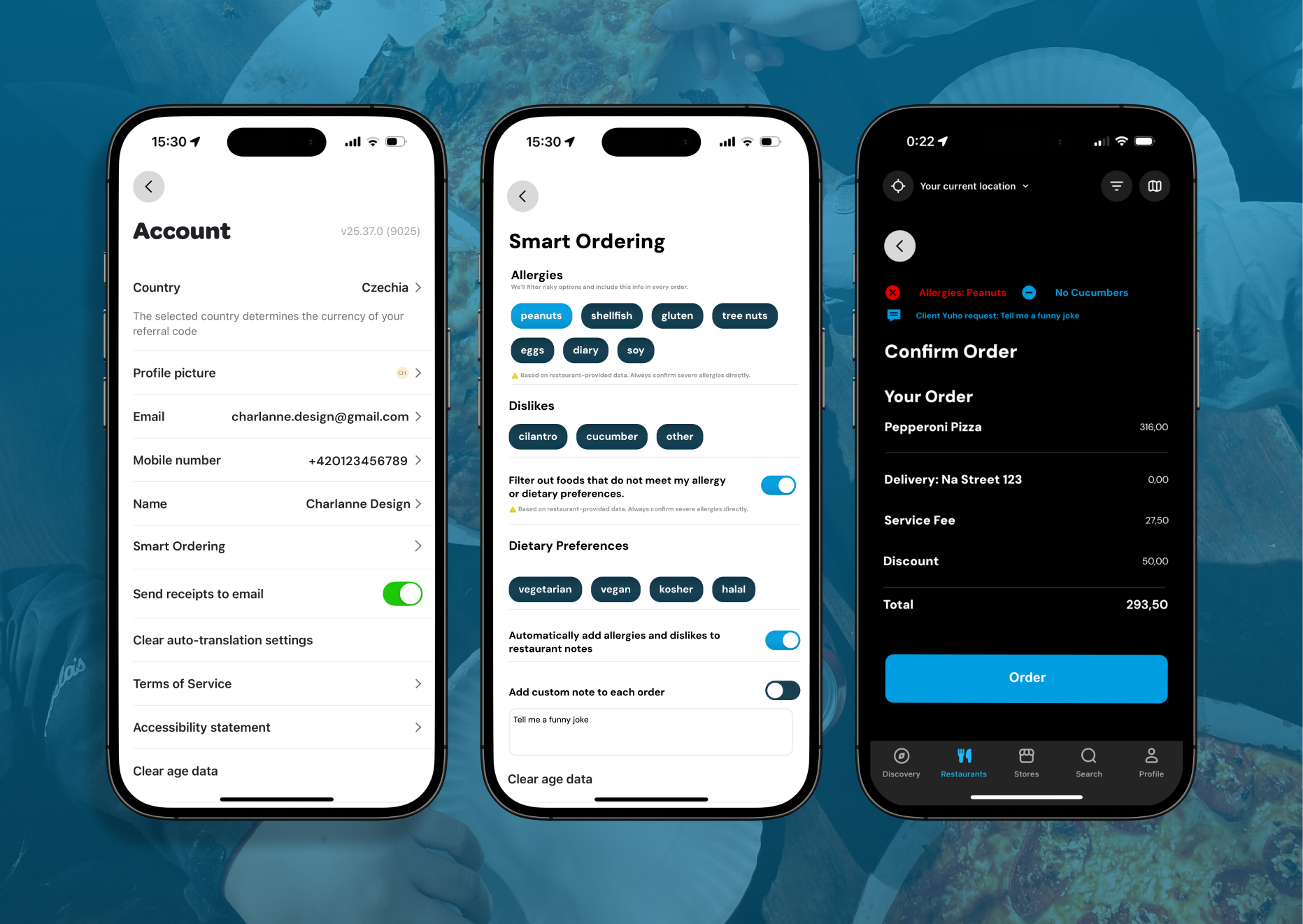
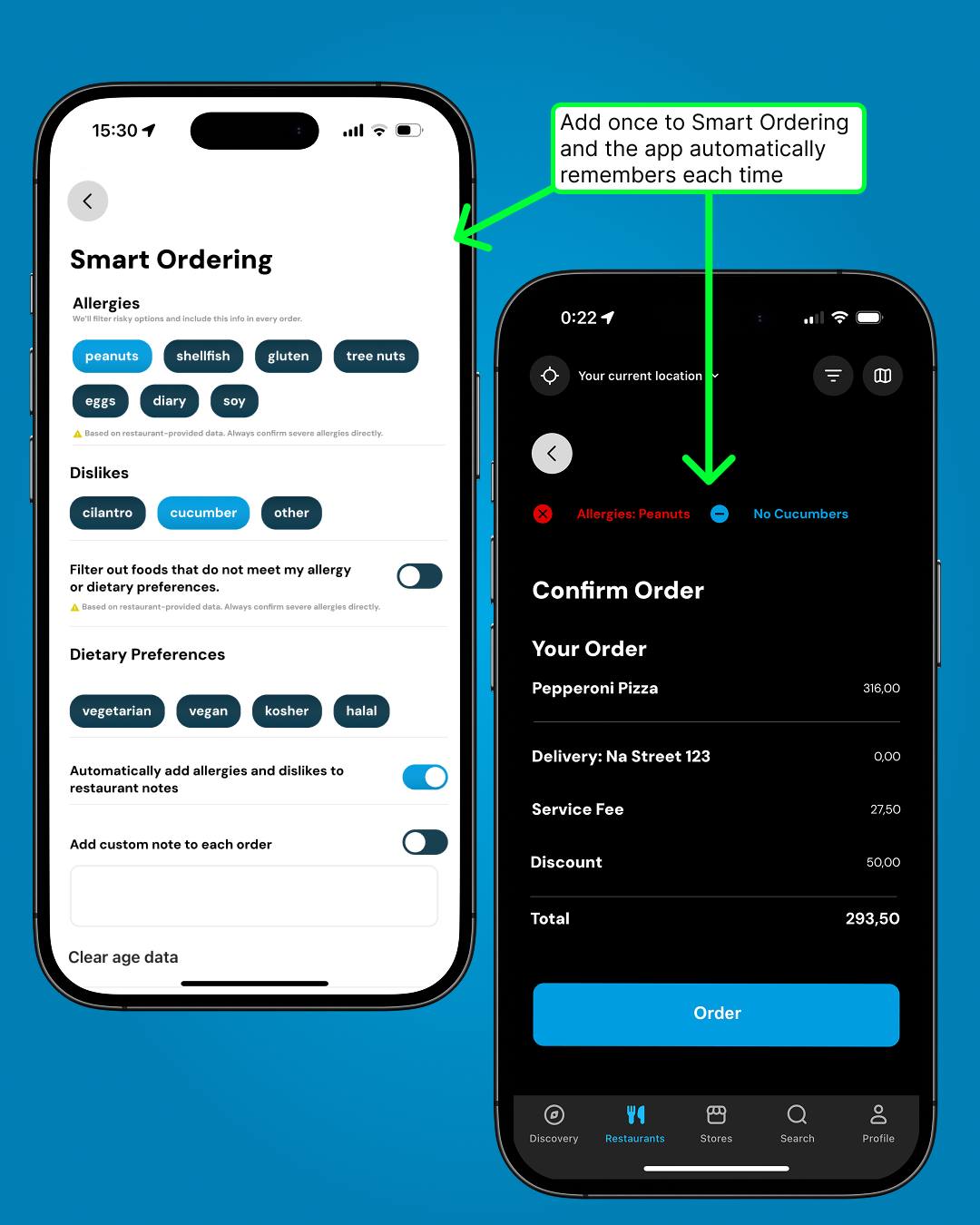
Smart Ordering is a profile section where users set their allergies, dislikes, and dietary preferences once. A toggle — "Automatically add allergies and dislikes to restaurant notes" — handles the rest. When enabled, every order confirmation shows the auto-populated note. The user sees it, can edit it, can override it. But they do not have to produce it from memory every time.
The allergy tags are drawn from structured data, not free text. That means restaurants receive consistent, readable information rather than whatever the user remembered to type in the moment.
The detail
The before state is two taps and a blank field. The after state is a confirmation screen that already has the note populated. The user's only job is to check it.
A secondary toggle — "Add custom note to each order" — handles the edge case: the user who wants to write something specific for a particular restaurant. The system defaults handle 90% of orders. The custom note handles the rest.
The response
This was an unsolicited concept. Not commissioned, not briefed, not paid for. Shared directly with Wolt.
100 page views in 24 hours. The kind of number that happens when a link gets passed around internally, not when someone finds a portfolio by accident.
Nothing came of it formally. The concept stands.